
Most write-ups about MiniMax H3 are written by people selling access to it, which makes "is it worth it" a hard question to get a straight answer to. So we ran six generations, logged every result and every credit spent, and included the two that failed.
Short version: four out of six worked on the first attempt, the two failures shared one specific cause, and the total bill came to 320 credits. Whether that's worth it depends entirely on what kind of work you're doing — and for one group of users, honestly, it isn't. Here's the full picture.
What We Tested
Six generations across two features, all at 2K, keeping the first result each time rather than retrying until something looked good.
Test | Setup | Result | Credits |
|---|---|---|---|
Short dialogue | Man speaking one line to camera | Worked, 1st try | 40 |
Long dialogue | Deliberately overlong line | Worked, 1st try | 40 |
Wide shot dialogue | Speaker far from camera | Failed | 40 |
Human → human motion | Movement transferred to new person | Worked, 1st try | 40 |
Human → dog motion | Movement transferred across species | Worked, 1st try | 40 |
Camera path → portrait | Camera move from an empty room | Failed after 3 tries | 120 |
Total: 320 credits. Generation times ran 4 to 7 minutes each.
What Worked
Lip sync held on the first attempt. A man delivering a single line to camera came out with matched mouth movement, natural voice quality, and — a detail that catches a lot of models out — the mouth actually closed when the line ended.
Long dialogue didn't break. This surprised us. The widely repeated limitation is that anything past one or two sentences per five seconds produces rushed delivery or audio that overruns the picture. We wrote a deliberately long line to trigger that. The pace stayed normal, the line finished inside the clip, and sync held the whole way through. First try.
Motion transfer worked across species. We transferred a person's movement onto a dog, expecting failure — the published guidance says mapping across very different shapes drifts. It worked first time. The dog kept its identity and executed the movement cleanly.
One honest caveat: the dog was pulled up onto its hind legs to do it. The model prioritised reproducing the motion over respecting the anatomy. If you wanted a stylised clip of a dog moving like a person, that's exactly right. If you wanted a dog moving like a dog, it isn't.
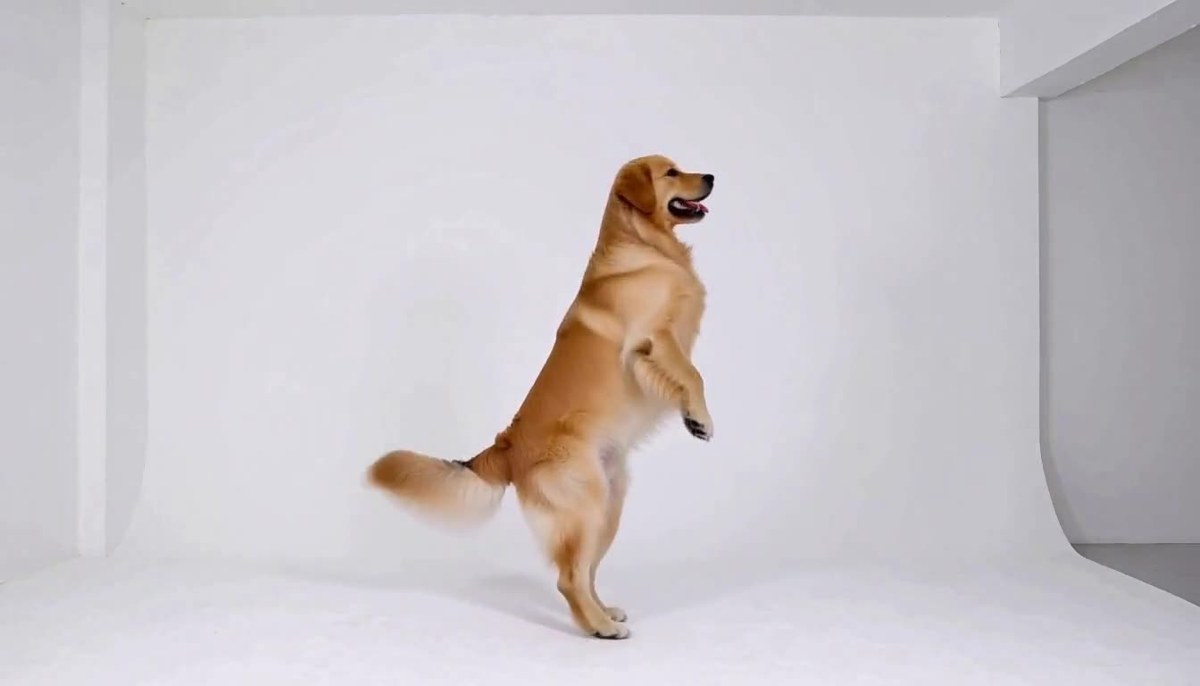
That result is worth dwelling on, because it contradicts the standard advice. The published guidance is that similar shapes transfer reliably and different ones drift. Our cross-species test succeeded on the first attempt while our same-species camera test failed three times. Shape similarity clearly isn't what decides it.
What did decide it: whether the reference video contained a complete subject performing the action. When it did — a whole person doing a whole movement — the transfer worked regardless of what it was applied to. When it didn't, and only a camera path existed, the model had nothing coherent to map and fell back on importing the reference's composition instead.
What Failed
Both failures came down to the same thing, which is the most useful finding here.
Wide shots make dialogue pointless. Filming a speaker from a distance produced only slight facial distortion — less than the reports suggest. The real problem was different: at 2K, the face occupied roughly 512×648 pixels in a medium shot but only about 79×70 pixels in the wide shot. The lip sync may well have been perfect. You simply couldn't see it.
Both crops above came from the same 2K generation settings, scaled to the same display size. On the left every feature is legible and you can watch the mouth form words. On the right the face is already breaking into blocks.
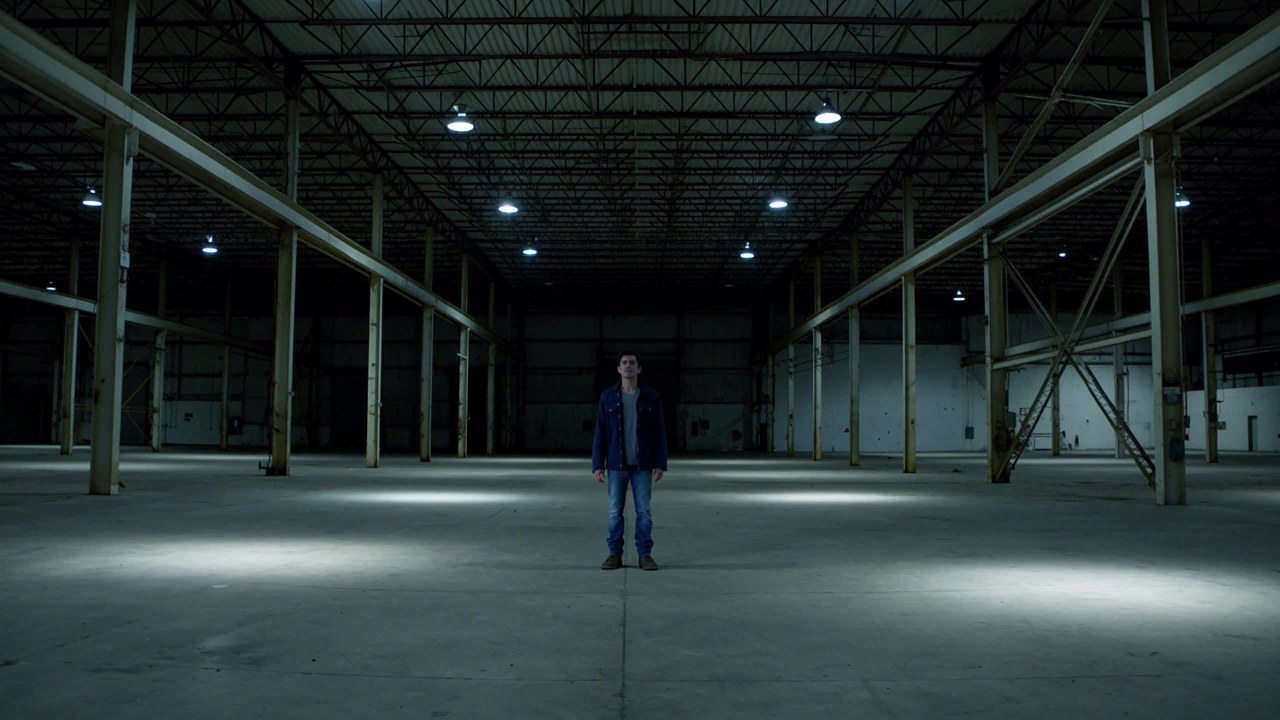
Camera-path transfer broke a portrait three times.
We fed in a clip of a camera pushing in on an empty chair, plus a portrait, with an explicit instruction to take the camera movement only. Three attempts, none usable. The model imported the reference clip's framing along with its motion — the woman came out embedded in a marble counter, head and shoulders visible, lower body simply absent.

She wasn't cropped. She was fused into the geometry of a composition built around a low, seated object.
The pattern: both failures happened when a reference's structure had to be forced onto a subject that didn't fit it. Neither was a quality problem. The model does what you ask; it just can't reconcile a mismatch you didn't notice you were creating.
What It Actually Costs
Credits scale linearly with duration — 4 credits per second, so 5 seconds costs 20, 10 seconds costs 40, 15 seconds costs 60. Here's what that works out to across the plans:
Plan | Price | Per credit | Per second | 10s clip | 10s clips per plan |
|---|---|---|---|---|---|
Starter | $9.90 | $0.100 | $0.400 | $4.00 | 2 |
Basic | $29.90 | $0.081 | $0.323 | $3.23 | 9 |
Plus | $49.90 | $0.071 | $0.285 | $2.85 | 17 |
Professional | $99.90 | $0.060 | $0.240 | $2.40 | 41 |
Our 320 credits of testing would have cost $19.20 on the Professional plan or $32.00 on Starter. The failed camera test alone consumed 120 credits — between $7.20 and $12.00 depending on your plan — because the model did produce a video each time; it just produced an unusable one. That distinction matters: credits are refunded when a job errors out on the platform side, but a generation that completes and simply isn't what you wanted still costs you. Worth knowing before you attempt something structurally risky.
The honest comparison. MiniMax's own API runs roughly $0.073–0.120 per second for 2K. So generating here costs two to five times more per second than calling the API directly. That's a real gap and we're not going to pretend otherwise.
What the difference buys you: no API key, no code, no handling asynchronous jobs and polling for task IDs, no downloading result URLs, no environment setup. You open a browser and generate.
Whether that trade is worth it comes down to volume, which brings us to the actual answer.
So Is It Worth It?
Here's the direct answer, split by who's asking.
Worth it if you're making a handful of clips.
If you produce a few videos a week — social posts, product clips, a talking-head explainer — the convenience premium is small in absolute terms. Paying $2.85 instead of roughly $1.00 for a 10-second clip costs you a couple of dollars and saves you an afternoon of API setup. At that volume, the math favours convenience.
Worth it if you're testing whether H3 fits your work at all.
Six generations told us a lot about what this model can and can't do. Doing that through the API means building a pipeline before you know whether you need one.
New accounts also get 20 free credits, which is exactly one 5-second 2K clip. That's not much, but it's enough to see the output quality on your own prompt before spending anything — and given that our short-form tests all worked on the first attempt, one clip is a reasonable sample of what you'd get.
Worth it if lip sync or motion transfer is your use case specifically.
Both features performed well in our tests, and both are genuinely one-step here — no separate dubbing tool, no post-production sync pass. That's a real workflow saving on top of the generation itself.
Not worth it if you're producing at scale.
If you need hundreds of clips a month, the per-second gap compounds fast. At 200 ten-second clips, you'd pay roughly $480–570 here versus maybe $150–240 through the API. At that point, building the integration pays for itself quickly. We'd rather tell you that than have you work it out after the fact.
Not worth it if you need 4K or clips longer than 15 seconds.
H3 caps at 2K and 15 seconds. No workflow or plan changes that. If your delivery spec requires more, this is the wrong model regardless of price.
Not worth it if your shots need wide framing with dialogue.
Our wide-shot test showed why. If your creative depends on a speaker at a distance, the mouth becomes unreadable no matter how good the underlying sync is.
How to Not Waste Credits
Practical lessons from our 320 credits, especially the 120 spent on generations that completed but couldn't be used.
Frame speaking subjects medium or closer. This one rule would have saved us one failed generation entirely.
Match your reference video's framing to your subject. Our three failed attempts all came from a reference composed around a low object being applied to a standing person. Rewording the prompt didn't fix it — the reference itself was wrong for the job.
Always specify the audio. The model generates a soundtrack whether or not you asked for one. Unspecified doesn't mean silent, it means the model chose for you. One line — "quiet room tone, no music" — is enough.
Test at 5 seconds before committing to 15. At 4 credits per second, a 5-second test costs a third of a full-length generation. If a setup is structurally risky, prove it works short before paying for long.
Change one variable at a time when something fails. We changed wording three times on the camera test and got the same result each time, because the problem was never the wording.
Give every reference file one job, and name it. This is what separated our successes from our failures more than anything else. The setup that worked looked like this:
Use Image 1 for the subject's appearance and identity.
Use Video 1 for the body movement only.

The subject from Image 1 performs the same movement as Video 1,
in a plain studio with soft even lighting, full body in frame.
Audio: quiet room tone.
Each file gets a stated role. A reference video contains movement, camera work, setting, lighting and sound all at once — without instructions the model has to guess which parts you meant, and in our failed test it guessed wrong three times running.
For the prompt structure behind these tests, see our MiniMax H3 prompt guide.
Quick Troubleshooting
If you hit the same walls we did, here's what actually fixes them.
Subject comes out with missing body parts. Composition mismatch between your reference video and your subject. Change the reference, not the prompt — we proved rewording doesn't help.
Elements from the reference video bleed into the output. Restate the exclusion once. If it persists, the reference clip is too busy; pick a cleaner one with just the movement you want.
Motion transferred but the identity drifted. Your subject image isn't doing enough work. Use a clear, well-lit reference and explicitly state that it controls appearance.
Audio from the reference video came along. A reference video carries its sound as well as its motion. Name the audio you want or you may inherit the source's.
Nothing transferred at all. Check you actually assigned the video a job in the prompt. Without a stated role, the model has no reason to prioritise the movement over everything else in the clip.
The Verdict
Six tests, four clean first-attempt successes, two failures with a shared and avoidable cause. The model does what it claims for subject-driven work, and it does lip sync and motion transfer genuinely well. It also costs more per second here than calling the API yourself, and it has hard ceilings at 2K and 15 seconds.
Worth it for: small-volume creators, people evaluating the model, anyone whose use case is dialogue or motion transfer, and anyone who'd rather spend two dollars than an afternoon on setup.
Not worth it for: high-volume production, 4K delivery, long-form clips, or wide-framed dialogue.
If you're in the first group, the honest recommendation is to spend the 20 free credits on one 5-second test with your own material first, then start on the smallest plan if the output looks right. That's the sequence we'd follow, and a few real tests tell you more than any spec sheet.
Frequently Asked Questions
Is MiniMax H3 worth the money?
For low-volume work, yes. A 10-second 2K clip costs $2.40–4.00 depending on your plan, and in our testing four out of six generations worked on the first attempt. For high-volume production, calling the API directly is meaningfully cheaper and worth the setup effort.
How much does one video cost?
Credits scale at 4 per second. A 5-second clip is 20 credits, 10 seconds is 40, 15 seconds is 60. In dollars that's $1.20–2.00 for 5 seconds and $2.40–4.00 for 10 seconds, depending on plan.
What's the success rate?
In our six tests, four worked on the first attempt. The two failures shared one cause — a mismatch between the reference material's structure and the subject — which is avoidable once you know to look for it.
Does the lip sync actually work?
Yes, in our tests. A short line matched cleanly with the mouth closing properly at the end, and a deliberately long line held sync for the full clip. The constraint isn't line length, it's framing — wide shots make the mouth too small to read.
What are the main limitations?
Hard caps at 2K resolution and 15 seconds. Wide-framed dialogue doesn't work because the mouth becomes unreadable. And transferring a camera path from a reference with mismatched framing tends to distort your subject.
Is it cheaper than the API?
No. The API runs roughly $0.073–0.120 per second for 2K versus $0.24–0.40 here. You're paying for not having to set up and maintain an integration. That's worth it at low volume and clearly isn't at high volume.
Can I try it before paying?
Yes. New accounts get 20 free credits, which covers one 5-second 2K clip. Use it on a prompt that represents your actual work rather than a generic test, since one clip is all you get before deciding.
Do failed generations cost credits?
It depends on the failure. If the job errors out on the platform side, credits are refunded. If the generation completes but the result isn't what you wanted — which is what happened in our camera-path test — it still consumes credits. That's why testing at 5 seconds first is worth doing.
Should I start with the cheapest plan?
That's what we'd suggest. Run a few real tests on the work you actually need before committing to a larger plan — six generations was enough for us to learn the model's real limits.
Final Thoughts
The most useful thing we learned across 320 credits wasn't that the model is good or bad — it's that its failures are predictable. Both of ours came from forcing a reference's structure onto a subject that didn't fit it, and both were avoidable. Frame your speakers close enough to see, match your reference to your subject, always specify the audio, and test short before you commit long. Do that and the success rate looks a lot like ours. Want to run your own test?