
TL;DR
- Easiest path: the official Comfy-Org workflow, optimized down to ~42.5 GB → runs on an RTX 3060 with dynamic VRAM offloading.
- What we tested: the raw Hugging Face weights (FP8 diffusion + NVFP4/AWQ text encoder) on one RTX 4090 — long clips peaked at ~46 GB VRAM and took ~6 minutes for a 20-second clip.
- The catch: installing successfully and getting usable output are two different gates. Native audio, hand/object consistency, and sports physics failed in a meaningful share of our test clips — see Real Output Quality before planning a production pipeline around it.
- Card with 8GB VRAM or less? Use the GGUF quantized build instead of the workflow below.
- Already have H3 running but previews are too slow? Add MiniMax H3 Turbo LoRA for 4-step and v4 low-step sampling.
- Don't want to manage GPUs and quantization tradeoffs at all? Try MiniMax H3 online at 2K with zero setup.
What You Need Before You Start
Two Different Setup Paths — Pick One
| Requirement | Official Comfy-Org path | Path we tested |
|---|---|---|
| GPU | RTX 3060 or better (dynamic offload) | RTX 4090 (single GPU, one job at a time) |
| VRAM | ~42.5 GB model footprint, staged offload | ~46 GB peak for a 20s / 608×352 clip |
| ComfyUI version | 0.30.0+ | Current stable, custom node versions pinned |
| Model source | Comfy-Org/MiniMax-H3 (pruned modulation weights + int8) | MiniMaxAI/MiniMax-H3 (raw weights) |
| No local GPU | Comfy Cloud | — |
The two builds aren't the same file set. Comfy-Org's version prunes roughly 40% of the model's modulation weights into a lookup table and applies int8 quantization specifically to fit consumer cards — that's the official, actively maintained route and the one most people should start with. The raw Hugging Face weights are what our engineering team stress-tested for output quality; that data is in the Real Output Quality section below.
Setup — Official Comfy-Org Workflow (Recommended Start)
Step 1 — Update ComfyUI
cd ComfyUI
git pull --ff-only
python -m pip install --upgrade -r requirements.txt
Requires ComfyUI 0.30.0 or later. Restart and confirm no custom-node errors before continuing.
Step 2 — Download a Workflow Template
MiniMax H3 ships three separate native workflows — pick based on your input:
- Text-to-Video (T2V) — prompt only
- Image-to-Video (I2V) — animate a starting image
- Reference-to-Video (R2V) — image, video, or audio references carried into the shot
Step 3 — Place the Model Files
Follow the model-download note inside the workflow — it pulls from Comfy-Org/MiniMax-H3 and expects files in a specific directory per loader node. Don't rename files manually before confirming the loader type; a mismatched path is the most common first-run failure.
Step 4 — Write Your Prompt and Queue
Connect any reference images/video/audio inputs the workflow exposes, write your prompt, and queue. ComfyUI's dynamic offloading handles memory staging automatically on this build.
Setup — Raw Hugging Face Weights (Advanced / What We Tested)
A manual route for more control over precision — and the exact path behind the quality data in this article.
Environment
git clone https://github.com/Comfy-Org/ComfyUI.git
cd ComfyUI
python3 -m venv .venv && source .venv/bin/activate
python -m pip install --upgrade pip setuptools wheel
python -m pip install -r requirements.txt
Use a dedicated virtual environment — don't install into system Python if the machine also runs other AI services.
Download Weights
python -m pip install -U huggingface_hub
huggingface-cli download MiniMaxAI/MiniMax-H3 --local-dir ./models/MiniMax-H3
Launch in Low-VRAM Mode
python main.py --listen 0.0.0.0 --port 8198 --lowvram
Keep the port private to your trusted network or behind a reverse proxy.
First Preview Preset
Starting preset (RTX 4090): 608×352, 24 fps, 20 steps, res_multistep sampler, simple scheduler, 124 frames (~5s) for a first test. Only promote to the full 484 frames (~20s) after the short preview looks right — a clean short preview doesn't guarantee hands, text, and audio stay correct at full length.
VRAM and Runtime — What We Actually Measured
Numbers from our RTX 4090 test run, not vendor estimates.
By Resolution
| Resolution | Runtime | Peak VRAM | Notes |
|---|---|---|---|
| 608×352 (baseline) | ~353 s for a 20.75s clip | ~46,250 MiB | Stable preset for iteration |
| 640×384 | 90.9 s | 43,306 MiB | Modest clarity bump |
| 720×416 | 610.2 s | 48,394 MiB | Reserve for selected shots |
| 768×432 | 731.1 s | 47,466 MiB | Reserve for selected shots |
| 960×544 | 1,452.0 s (~24 min) | 48,490 MiB | Near the 4090's memory ceiling — not a default |
By Duration
| Duration | Runtime | Peak VRAM |
|---|---|---|
| 5s (124 frames) | 55.6 s | 41,546 MiB |
| 10s (244 frames) | 136.2 s | 42,730 MiB |
| 20s (484 frames) | 353.0 s | 46,250 MiB |
Queue Behavior
A three-job queue completed in submission order with no VRAM growth or out-of-memory failure — but memory stayed near the ceiling throughout. Run one H3 job at a time on a single 24GB-class card; don't run another large GPU workload alongside it.
Six minutes of dedicated 4090 time per 20-second clip is a real cost if you're iterating on a prompt. MiniMax H3's hosted 2K generator queues generations without tying up your own GPU, which is worth weighing if you're testing many variations rather than running a fixed batch.
Real Output Quality — What 50 Test Clips Showed
This is the part most ComfyUI tutorials skip. Our team ran 50 formal test clips across motion, dialogue, sports, hands/objects, text rendering, and resolution/duration sweeps on the RTX 4090 path above, then checked every clip's audio with local Whisper transcription.
Reliable For
- Atmosphere, lighting, and layered environments — noticeably stronger than the prior MiniMax video workflow
- Storyboards, mood reels, concept pitches, background plates
- Broad camera movement and wide shots
- Short concept clips up to ~10 seconds at the 608×352 preset


Not Yet Reliable For
Speech and dialogue audio. Talking-close-up and two-person dialogue tests produced repeated syllables, wrong-language fragments, or audio unrelated to the visual prompt. A Chinese control clip and one emotional-speech clip were intelligible — so audio isn't uniformly broken, but it can't be trusted without a listen-and-transcribe check on every clip.
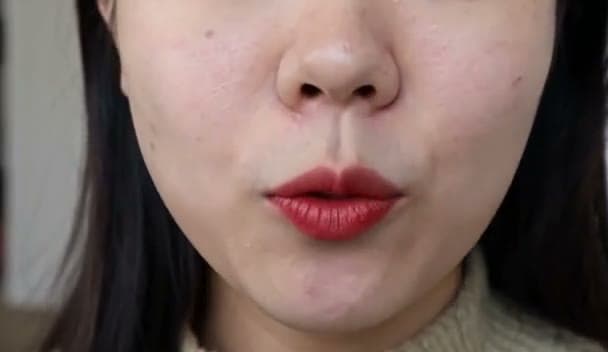
Sports and object physics. Basketball, soccer, and running clips looked energetic but didn't follow real game rules or consistent ball trajectories.
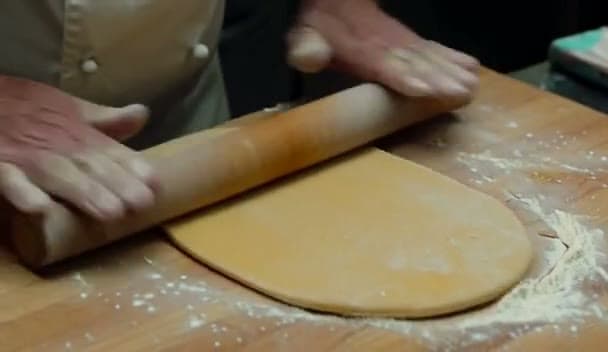
Hands, cards, and product structure. A card-handling test produced malformed card shapes and counts; a cooking clip produced a third hand; a product-assembly clip ended in a frame that conflicted with the assembly sequence.

On-screen text. Calligraphy and signage prompts drifted — extra characters appeared, and street signage in whip-pan shots was unreliable.
Practical Workaround
Generate the shot with H3, then handle these separately: replace native audio with dedicated TTS or a human recording when exact dialogue matters, composite logos/labels/subtitles in post, and treat any clip with a must-be-true fact (a scoreboard, an assembly order, a spoken line) as a draft requiring review — not a final asset.
If building and maintaining this review pipeline yourself isn't worth it for your workload, generate with MiniMax H3 online instead — same generation modes, at full 2K, without owning the QA step.
Troubleshooting
| Problem | Fix |
|---|---|
| Missing model error | Check the loader's expected directory, refresh the model list |
| Out-of-memory | Reduce frame count or resolution first, confirm --lowvram and offloading are active |
| Video generates with no audio | Inspect the audio node and output container separately — they can fail independently |
| Repeated runs finish suspiciously fast | Likely a ComfyUI cache hit on the same seed — useful for iteration, but don't record it as a fresh inference time |
| Custom node fails after an update | Compare your recorded ComfyUI commit and package versions before changing multiple dependencies at once |
FAQ
Can MiniMax H3 run on an RTX 3060?
Yes, using the official Comfy-Org optimized build (pruned modulation weights + int8 quantization + dynamic offloading, ~42.5 GB footprint staged across CPU/GPU). The raw Hugging Face weights we stress-tested were run on an RTX 4090, not a 3060.
How much VRAM does MiniMax H3 actually need?
On our tested RTX 4090 path, a 20-second clip at 608×352 peaked at ~46 GB. The official Comfy-Org build reduces the model's own footprint to ~42.5 GB through pruning and int8 quantization, which is what makes lower-VRAM cards like the 3060 possible via offloading.
Do I need a GGUF build?
GGUF community quantizations exist for lower-VRAM setups and weren't the path benchmarked in this guide. See our MiniMax H3 GGUF guide for quantization levels and low-VRAM workflows.
If the model already fits but sampling time is the bottleneck, see the MiniMax H3 Turbo LoRA guide instead. Turbo LoRA is for faster low-step previews; GGUF is for making the model footprint smaller.
Is the native audio usable for real dialogue?
Not reliably yet. In our tests, several dialogue clips produced repeated syllables or unrelated audio. Treat native audio as a draft and verify every clip by listening and transcribing before using it for scripted dialogue.
How does the local ComfyUI output compare to the 2K online version?
Local ComfyUI runs are typically lower resolution than the hosted 2K output, and require you to manage quantization, VRAM, and quality-control steps yourself. See our full breakdown in MiniMax H3: Local vs Online.
Don't Want to Manage a GPU?
Setting up quantization, VRAM offloading, and quality-control steps yourself is a real time cost. MiniMax H3 online runs the full 2K pipeline in your browser with no install — start with free credits.