

1. Quick Verdict
MiniMax H3 is a strong pick when you want 2K AI video with a clear starting point—text, a still image, a first-and-last frame pair, or a subject-reference face—without a traditional editing timeline.
Overall score
8.5/10
Pros
- Four practical input modes—text, image, first-and-last frames, and subject reference
- 2K output suited to concept clips, product motion, and character-led drafts
- First-and-last-frame control makes before-and-after transitions easier to direct
- Subject-reference workflow helps keep a face recognizable across prompt variants
- Free starter credits to test a mode and prompt before buying a pack
Cons
- Starter-credit conditions and export terms should be checked in the current generator and checkout flow
- Choosing the right mode for a brief takes a little practice on first use
- 2K paid renders use more credits than short draft tests at lower resolution
Best for: Creators and marketers who want directed 2K clips from text, stills, frame pairs, or a subject face—without building a full timeline edit.
Not for: Teams that specifically need longer flagship single-shot generation or a larger multimodal reference stack—compare those tools on their own terms.
2. How We Tested
Fixed environment, clear criteria—so this review stays reproducible and honest.
Test environment
- Duration: Three documented generation scenarios covering text-to-video, image-to-video, and subject-reference workflows. We publish the prompts, output media, and evaluation criteria used on this page.
- Scope: Three documented test scenarios (see Real Generation Showcase below), each rendered on MiniMax H3 and cross-checked against Seedance 2.0 and Veo 3.0 on the same prompt where useful for context.
- Platform: The MiniMax H3 browser workspace on minimaxh3.co.
Evaluation criteria
We scored motion and camera control, subject and frame consistency, prompt adherence, mode flexibility, ease of use, and value for money. Scores are our subjective ratings for comparison, not third-party lab benchmarks—your results will vary with prompts, inputs, and model updates.
Read the full testing methodology and first-party disclosure3. Real Generation Showcase
Real test runs: full prompt, what we measured, and the output. Click Try this prompt to load the same setup into the generator.
Test 1: Subject Reference — Character Walkthrough
What it tests: Subject-reference identity hold, camera follow continuity, prompt-led atmosphere across a single 2K clip
Prompt
"A cinematic walkthrough of a European woman moving through a busy street market. Keep her face and wardrobe consistent with the subject-reference image. Steady tracking camera, natural crowd motion, soft daylight shifting toward evening, quiet emotional tone, film still quality."

Result: This brief checks whether a subject-reference plate keeps the same person readable while the prompt drives place, camera, and mood. Wardrobe, facial identity, and pacing have to stay coherent without stacking dozens of multimodal assets.
Test 2: Image to Video — Fruity Biscuit Product Ad
What it tests: Image-to-video product motion, brand-ad pacing, still-to-motion stability
Prompt
"Bright and colorful advertising film style, fruity biscuits as the protagonist, including strawberry, apple, grape, orange four flavors. Biscuits and corresponding fruits arranged in a geometric array with a strong sense of order. A biscuit breaks at the climax, entering slow motion as the fruity sandwich explodes—debris, juice, and particle impact enlarged. Quick text beats, ending on a young, energetic, shareable advertising atmosphere."
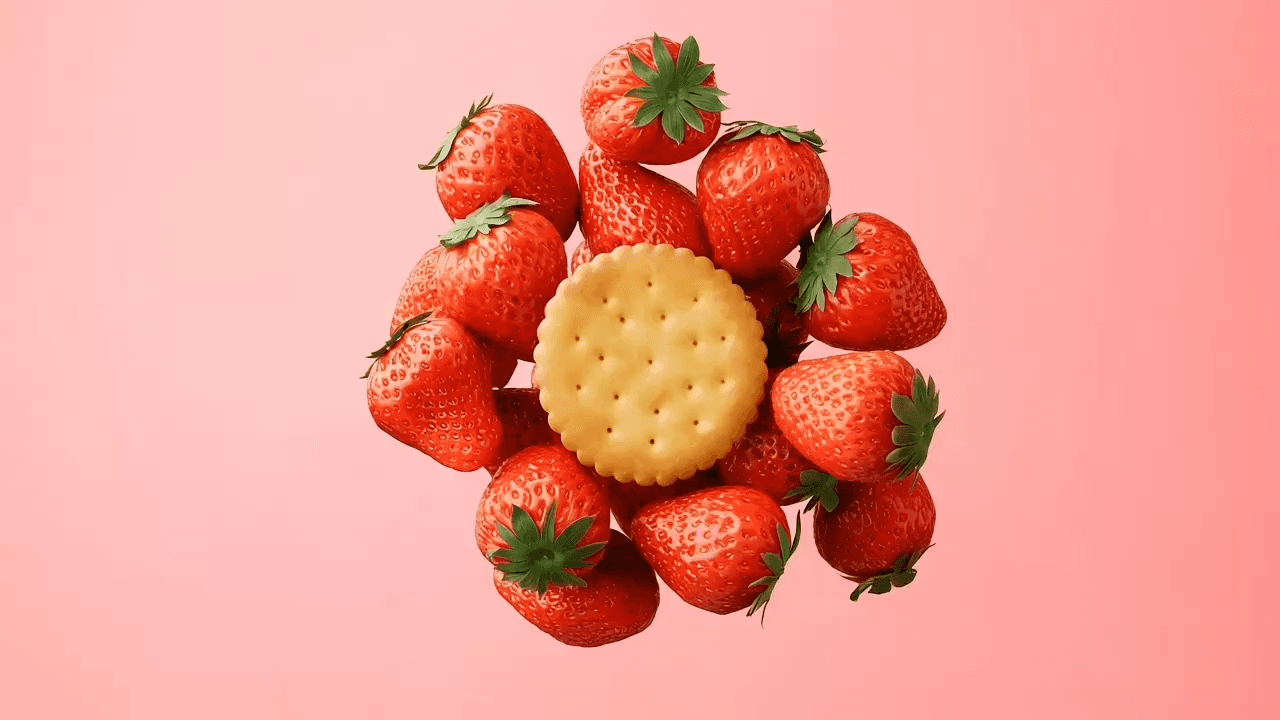
Result: Starting from a product still, this pass tests whether MiniMax H3 can animate a locked look into a readable ad beat—composition stays product-first while motion, slow-motion break, and finale energy come from the prompt.
Test 3: Text to Video — Football Through the Ages
What it tests: Text-only scene direction, style shifts within one clip, single-object visual throughline
Prompt
"Create a short educational video about the 3,000-year evolution of football. The entire film uses a single ball as the visual throughline—it rolls, traverses, and transforms from ancient times onward, linking different civilizations and eras. The visual style shifts from ink-wash painting (Warring States Cuju) to classical oil painting (ancient Greece) to a muddy medieval village, ending on a modern stadium with the ball at center field."

Result: A pure text-to-video stress test: the ball has to read as the same object while art style flips across eras in one 2K clip—consistency comes from prompt structure, not a large reference budget.
We also wrote a prompt-formula breakdown that improves output quality—see the prompt guide.
4. How We Used It (Quick Walkthrough)
Three steps from idea to finished video, as we tested it.
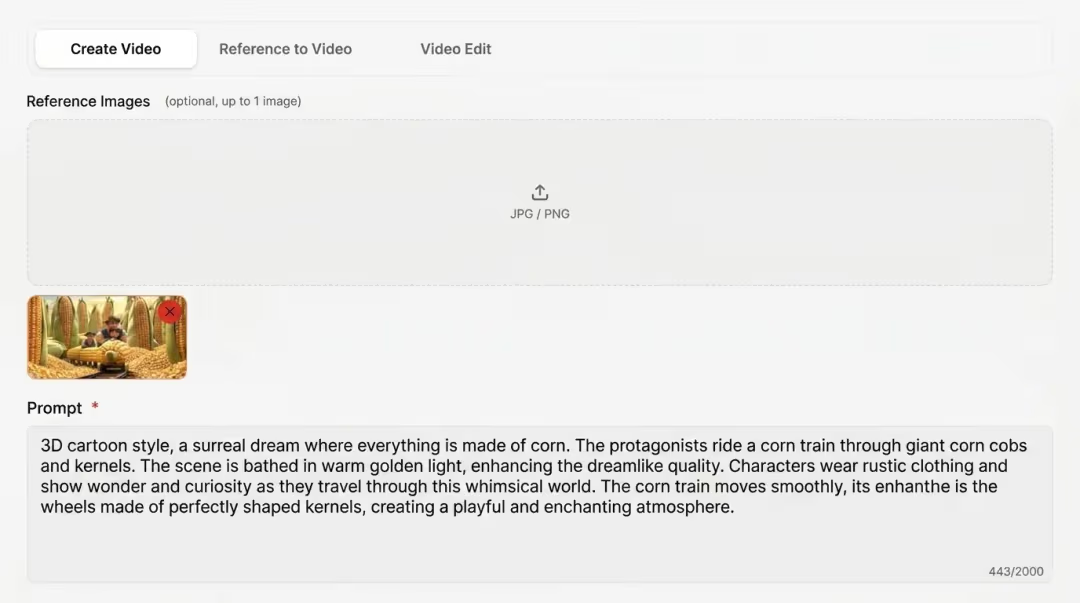
1. Choose your mode
Open the generator below and confirm MiniMax H3 is selected. Pick Text to Video, Image to Video, First & Last Frame, or Subject Reference based on what you already have—a written brief, a still, a frame pair, or a face plate.
2. Write your prompt and add inputs
Describe subject, camera movement, and pacing in clear language. Upload a starting image, first-and-last frames, or a subject-reference face when the mode needs them—keep plates sharp and instructions focused.
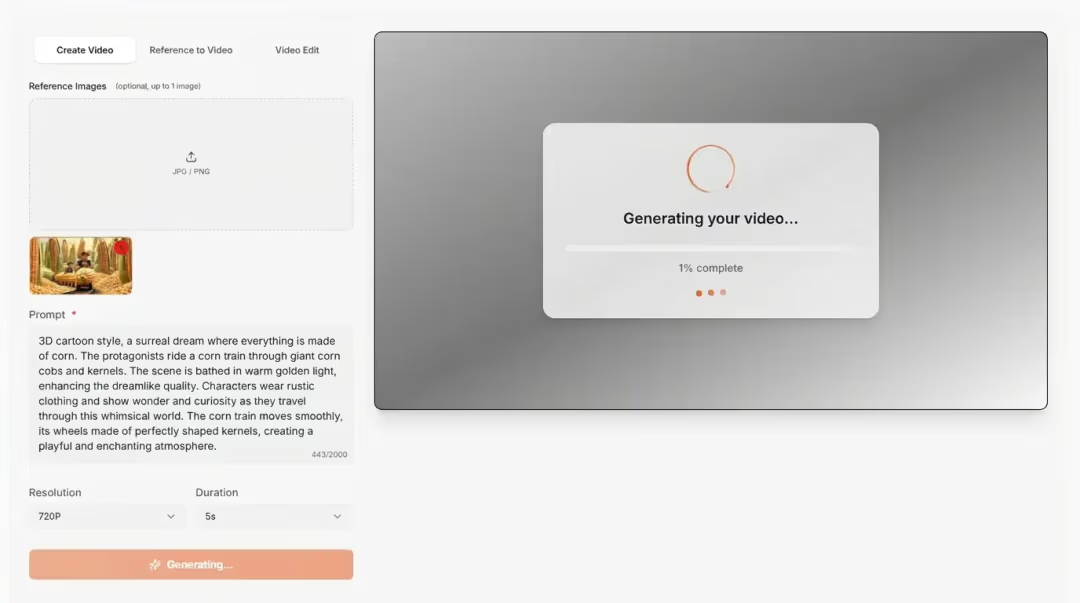
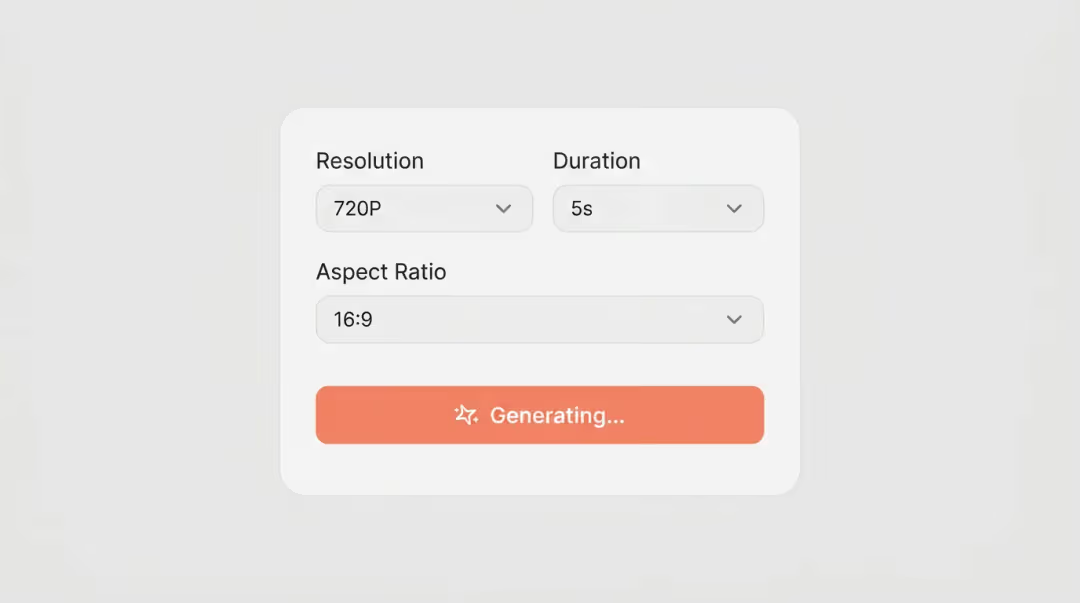
3. Generate, review, and export
Choose duration and resolution, generate your clip, preview the 2K result in the browser, then download as MP4. Iterate with prompt or input tweaks until the shot matches your brief.
For the full step-by-step guide with tips, see How to Use MiniMax H3.
5. Key Features We Tested
The four capabilities that shaped our scores most. For the full table and file-format reference, see specs & features.
Text to Video
Write a focused brief—subject, place, action, lighting, camera—and generate a 2K clip without uploading media.
Image to Video
Animate a still so look and composition stay locked while the prompt drives motion and atmosphere.
First & Last Frame
Set start and end plates, then describe the transition—before-and-after beats without inventing a third unrelated scene.
Subject Reference
Upload a clear face or character plate so identity stays recognizable while you change action or setting in the prompt.
6. Pricing & Value for Money
minimaxh3.co uses one-time credit packs, not a subscription—starter credits are free, and paid packs start at $9.90.
| Plan | What you get |
|---|---|
| Starter credits | Check current eligibility, output settings, and terms in the signup flow |
| Starter — $9.90 | 99 credits, $0.10/credit |
| Basic — $29.90 | 370 credits, $0.08/credit |
| Plus — $49.90 | 700 credits, $0.07/credit |
| Professional — $99.90 | 1,665 credits, $0.06/credit |
Short draft tests at lower resolution cost fewer credits; 2K renders cost more. Full breakdown: pricing.
7. Head-to-Head vs Competitors
Same prompt, rendered here against each competitor. Seeds and settings vary—treat these as directional benchmarks, not guarantees. MiniMax H3 side is 2K with its four input modes.
8. Final Verdict — Should You Use It?
MiniMax H3 is a practical browser AI video tool when your brief fits one of four starts: text, image, first-and-last frames, or subject reference. In our hands-on passes, that mode clarity mattered more than chasing flagship length or a huge multimodal reference stack. Strong fit for creators and marketers who want directed 2K concepts without a timeline edit.
The free tier’s 720p watermark means it is better for testing prompts and inputs than shipping a final client file. Start on free credits with the prompt guide, then upgrade when you need cleaner 2K output or commercial rights. Cap details: free credits & limits.
Try free credits before you commit.
9. Frequently Asked Questions
Questions about how we ran this review and how to verify or reproduce it.